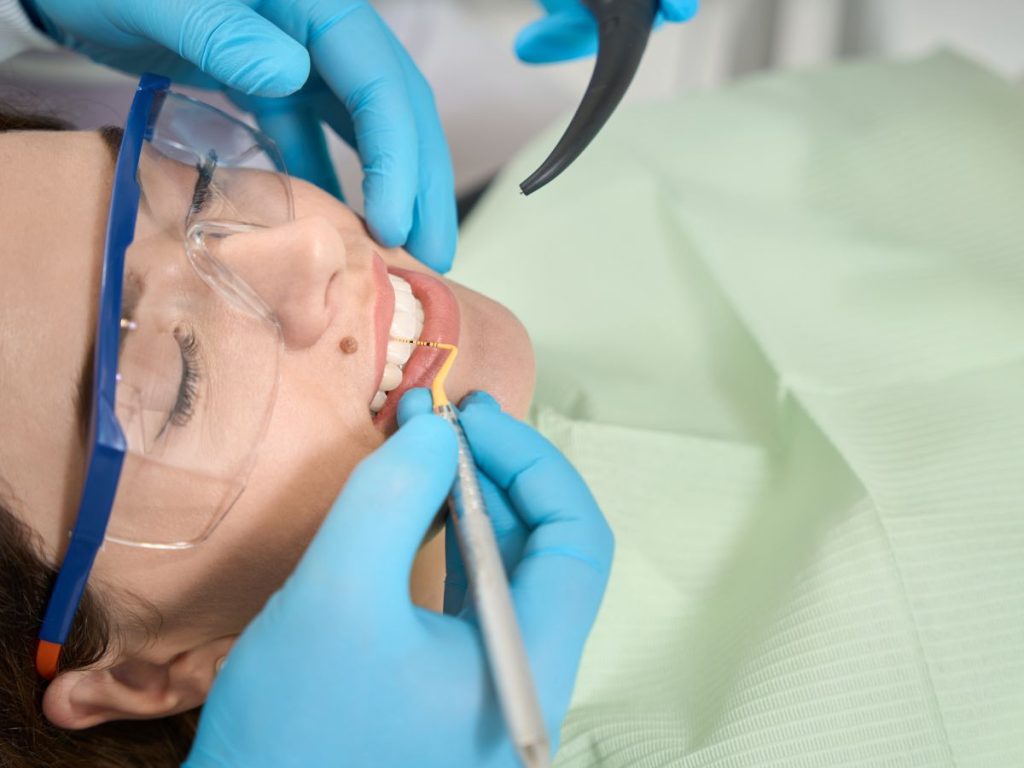

Wondering how to view your ClinCheck simulation after your first Invisalign scan? Let me show you how!

Hi, my name is Sarah and I completed my Invisalign journey in 75 weeks!
This blog documents my own personal experience with wearing Invisalign aligners - all the ups and the downs.
This blog does not constitute medical advice, so speak to a dental professional about any specific concerns.
If you’re anything like me, you’ve probably spent a good chunk of time standing in front of the mirror, pushing your teeth around with your tongue, dreaming of that picture-perfect smile.
With Invisalign’s ClinCheck simulation software, you can get a glimpse of that dream smile before you even start your treatment! It’s like having a crystal ball for your teeth!
What is ClinCheck for Invisalign?
When you first go to a consultation with your dentist or orthodontist to enquire about Invisalign, they will likely order you to have a scan.
This involves your dentist moving a handheld 3D scanner-type device around your mouth on a computer called iTero to create digital impressions of your teeth.
It takes thousands of photos of your teeth and turns them into a digital image.
This digital rendering of your teeth is then used to simulate your outcome after Invisalign. It can also simulate the entire process – at every step – so you know exactly what to expect week by week.
ClinCheck is a sales tool for your dentist (to show you the smile of your dreams and encourage you to say ‘yes’ to Invisalign), but it’s also extremely advanced clinical software that can predictably simulate the movement of your teeth from crooked to straight.
You simulation will be shown to you during your consultation or at a follow-up, and you can access it online via the Invisalign web portal at anytime during your treatment.



What does ClinCheck’s Simulation look like?
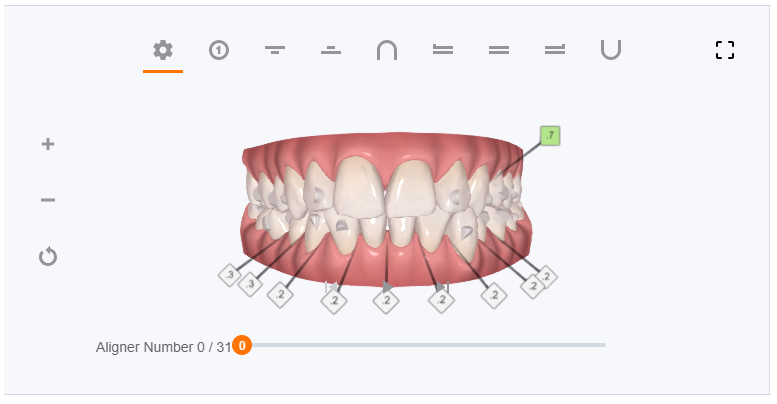
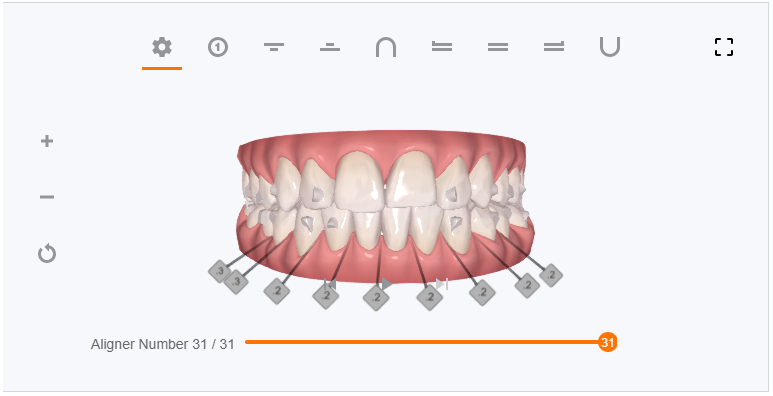
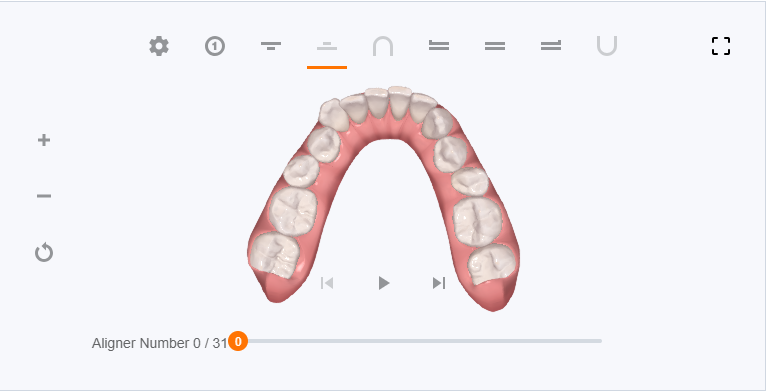
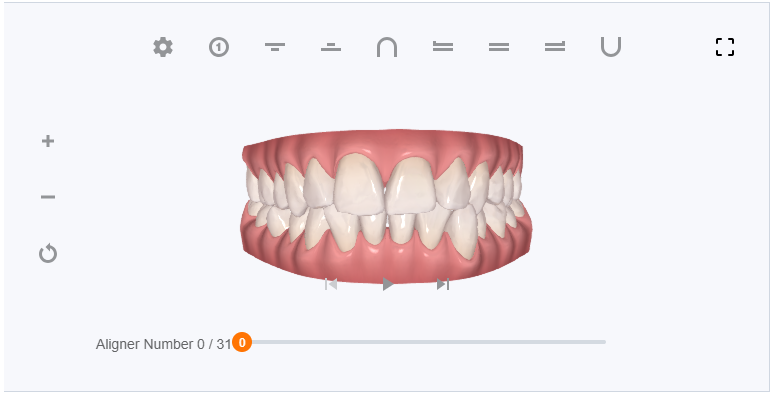
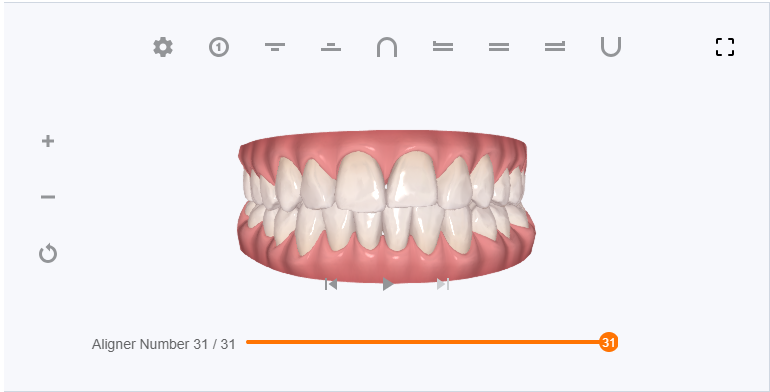
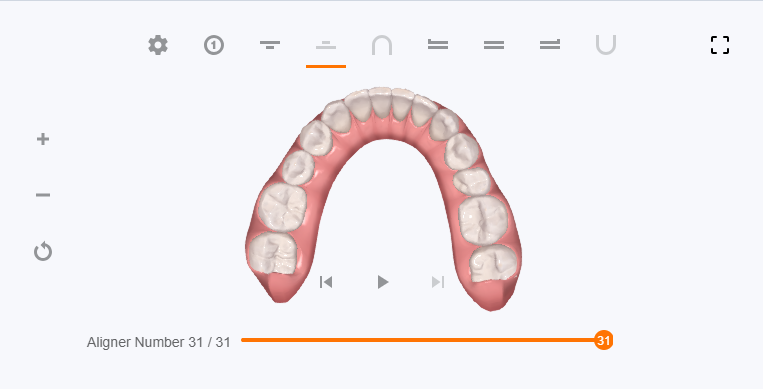
Here are some images of my digital teeth from my own ClinCheck that should give you an example of what to expect!
The little ‘notches’ are attachments and the numbers in squares along the bottom represent how much inter-proximal reduction (IPR) is needed.
How do you view your own ClinCheck Simulation?
In order to view your own ClinCheck simulation generated from your Invisalign consultation, you’ll need to undertake the following steps:
- Visit the Invisalign Login Page:
- USA Invisalign Login Page
- UK Invisalign Login Page
- Canada Invisalign Login Page
- For other countries visit the Invisalign website for your country, but add my. at the start of the URL (for example my.invisalign.es for the Invisalign website in Spain, my.invisalign.it for Italy, etc)
- If you’ve never logged in before, click on ‘Register’ which is below the login button
- Enter your details – make sure your name matches your dentist’s records exactly
- You will need a code from your provider at this stage. If they’ve not give you an access code, then you can request one. Your dentist will have to click ‘share’ on the ClinCheck treatment plan in order to share it with you.
- You can then login at any time to view your ClinCheck and access other features once your treatment has started!
You can also download the Invisalign App on your phone (there’s an app for both Android and iPhone) – but I find that viewing the ClinCheck simulation is clunky on the phone, and has a much better experience on the computer.
For example, the slider that lets you view your progress is really hard to press and slide on the app or mobile website, but it works perfectly on a laptop or desktop screen instead.

Conclusion
If you’re on the fence about Invisalign or just starting your journey, I hope my personal experience has shed some light on what to expect.
Remember, while ClinCheck offers a fantastic preview, the real magic happens when you commit to the process and watch your real-life smile transform.
So, here’s to all of us, chasing that picture-perfect grin. Whether you’re on aligner 1 or 31, remember to enjoy the journey, cherish the progress, and always keep smiling. 😁